

The paper sign-in sheet is still the default at most receptions, sites and meeting rooms, and it has three well-known failure modes: nobody can read the handwriting, the times are rounded or invented, and almost nobody remembers to sign out. A QR code fixes the first two properly and helps with the third.
It is worth being clear about what a spreadsheet sign-in does not do: it is a record, not access control. It does not unlock a door or stop anyone entering. If you need enforcement, you need hardware.
Two different problems
Known people (staff, contractors, members)
These people can carry a code — on a badge, a card, a keyring tag or an image on their phone. Scanning that code is one action and produces a clean, unambiguous record with no typing at all.
Unknown people (visitors, deliveries, the public)
A first-time visitor has no code, so the flow inverts: a single QR poster at the door opens a form or scanner page, and they enter their own details. Slower, and the data quality depends on what they type, but there is no alternative for someone you have never met.
Most receptions need both. A resident code system for regular contractors, plus a poster for genuine one-off visitors. Trying to force one mechanism to cover both is what makes these projects fail.
The free route
A Google Form linked to a Sheet, with a printed QR code that opens it. Costs nothing, works today, and for a quiet reception it may be the whole answer.
- Free permanently, no cap on responses.
- Handles the unknown-visitor case well, because they are typing their details anyway.
- Requires every visitor to have a phone, a camera, and signal at your door.
- Nothing prevents a duplicate or fictional entry.
- Sign-out is a separate submission that most people will not make.
- A submission with no signal is lost silently — receptions in basements and behind thick walls are exactly where this bites.
Where a scanner link fits
We build one, so read this as interested and specific. The difference for a sign-in desk is direction: instead of every visitor filling a form on their own phone, one device at the desk scans people as they arrive. That inverts the reliability problem, because you depend on one known phone rather than two hundred unknown ones, and it keeps working with no signal.
For sign-out, the clean pattern is two links pointing at the same Sheet — one for in, one for out. Whoever is on the desk taps the right one and scans. There is no dropdown to get wrong, which is the usual reason a sign-out column ends up unreliable.
Cost shape: free for 300 scans, one link and one device, then $7 per registered device per month with unlimited scans. One reception phone is one device. Nobody pays per visitor or per staff member, which matters because reception staff change and visitors are by definition not licensed users.
| Capability | Google Forms / Apps Script (DIY) | QR to Sheets |
|---|---|---|
| Cost | Free (Google Form) | Free to 300 scans, then $7 per device per month |
| Who needs a phone | Every visitor | The desk |
| Legible names | Typed by visitor | From the scanned code |
| Accurate times | Yes | Yes |
| Sign-out actually captured | Rarely | Separate link, one tap |
| Works with no signal | No | Yes, syncs later |
| Access control | No | No — this is a record, not a lock |
Who is still in the building
This is the question a sign-in sheet exists to answer during an evacuation, and it is where most implementations quietly fail.
- Append one row per event with a direction — in or out — never an editable status column.
- Current presence is the latest row per person. A formula gives you the live list.
- Expect missing sign-outs. Add an automatic end-of-day cutoff so yesterday's visitors do not appear present today.
- Print or screenshot the present list as part of the fire drill, not during the actual emergency — assume the wifi is down.
- If life safety genuinely depends on this, do not rely solely on a spreadsheet. Keep the paper fallback and treat the digital list as the convenience copy.
Privacy, which matters more here than people expect
A visitor log is personal data, and it has a specific problem paper shares: the old sheet is visible to whoever signs in next. A digital log fixes that, and creates a different obligation.
- A digital log means the next visitor cannot read the previous visitors' names, which paper cannot claim.
- Collect the minimum: name, organisation, who they are visiting, time. Not car registrations or phone numbers unless you have a reason.
- Set a retention period and actually delete. Most receptions need weeks, not years.
- Keep the Sheet in an organisation account with explicit sharing, not a receptionist's personal Drive.
- Be able to tell a visitor what you hold about them, because they are entitled to ask.
What to put in the sheet
- Timestamp, automatic, in your own timezone — not UTC.
- Direction: in or out.
- Person or organisation, from a scanned code where possible.
- Who they are visiting, for genuine visitors.
- Which entrance, if you have more than one.
What happens if someone signs in twice?
This happens constantly at a real door, and almost every guide on the subject ignores it. A visitor scans, the phone does not obviously confirm, so they scan again. A contractor signs in at the main entrance, walks round to the side entrance and signs in again. Somebody hands the desk phone to a colleague mid-queue and the last badge gets read a second time. By the end of a busy morning a hundred-person log has a hundred and twelve rows.
There are only two possible designs, and it is worth understanding which one you are choosing. A system can refuse the second scan, or it can accept it and tell you. Refusing feels tidier and is the wrong default at a door: the person standing in front of you gets an error, does not know whether they are signed in, and the desk has to resolve it while a queue builds. Worse, a system that silently swallows a repeat cannot tell you the difference between a duplicate and a genuine second visit later the same day.
Our own product takes the second route, and we would defend it as the right one for a sign-in desk specifically. When the same value is scanned again within a twelve-hour window, an amber badge appears showing how many times that value has been seen and stating that the row was saved anyway. The scan is never blocked and the row is always written. If the repeat check cannot run for any reason, it fails open: no badge, and the scan still records. The person at the desk sees immediately that this is a repeat and can decide, which is a judgement no software should be making for them.
The consequence is that de-duplication is a spreadsheet decision, not a scanner decision. That is deliberate. Your raw log stays complete and auditable, and your reporting tab collapses it: a UNIQUE or a QUERY grouping by person and day gives you one row per visitor while the underlying log still proves what was actually scanned and when. If the scanner had thrown the second scan away, you could never reconstruct that. On the Google Forms route the same problem exists with no signal at all, so you are doing the same spreadsheet work without knowing you need to.
Can someone sign in for a colleague who is not there?
Yes, and no QR system can stop it. This deserves stating plainly because most vendor pages either skip it or imply otherwise. A QR code is a piece of data. Scanning one proves that the code was presented to a camera at a particular moment. It does not prove who was holding it, and a code on a badge, a keyring or a phone screen can be handed over, photographed, or forwarded in a message.
If your log is being used for payroll, for a duty-of-care headcount or for anything with a legal weight, you need to know that its integrity comes from the process around it and not from the technology. The realistic controls are physical and procedural rather than technical.
- Scan at a staffed desk. A receptionist watching the queue is a far stronger control than anything in software, and it is why the desk-scans-the-visitor model is more trustworthy than the visitor-scans-a-poster model.
- Keep codes on things people do not lend. A code printed on a hard hat, a laptop or an issued tool travels with the object; a code on a phone screen forwards in seconds.
- Watch the timestamps. Several sign-ins landing within the same few seconds from one station is the visible signature of one person scanning a handful of badges.
- Use the repeat-scan count. A badge showing a repeat within minutes at a single-entrance site usually means the code, not the person, came back.
- Where the stakes are genuinely high, pair the scan with something the technology cannot supply: a face at a desk, a photo taken at the point of scan, or hardware with a biometric.
The honest framing is that a QR sign-in sheet removes illegible handwriting, invented times and the transcription work, which is the great majority of what is wrong with a paper clipboard. It does not remove the possibility of dishonesty, and neither does the clipboard it replaces, since signing a friend's name on paper is easier still.
What if the wifi drops at reception?
Receptions are unusually bad places for connectivity. They sit in basements, in lobbies behind lift shafts, in portacabins at site gates, and behind the thick external walls of older buildings. This is the failure that decides whether a sign-in system survives its first month, and it separates the two routes sharply.
A Google Form submitted with no signal is lost. The visitor taps submit, the page hangs or errors, and unless somebody is watching carefully that arrival is simply not in your sheet. Nothing warns you, and you find out during a headcount. It is the single strongest argument against the free route at a door where signal is marginal, and it is why you should test in the actual doorway rather than at your desk.
The desk-device model behaves differently by design. In our product the scan is written to the device first, into a local retry queue with a device-side CSV backup, and synced to the Sheet afterwards. Reception keeps scanning through the outage with no change to what they do, and the rows appear in the spreadsheet when the connection returns. Each scan carries its own identifier, so a retry that partially succeeded does not produce a second row. What you cannot get is a live present-in-the-building list during the outage itself, which is exactly why the paper fallback in the drawer and the printed present list from the fire drill still matter.
Why do the times in my sheet look wrong?
Two separate problems produce this complaint, and they need different fixes. The first is the timezone: many tools write timestamps in UTC, so a nine in the morning arrival in Singapore is filed as one in the morning, and every shift report is out by hours. Our product writes each row in the timezone set for the workspace, so the sheet reads in local time for whoever is looking at it.
The second is subtler and catches people who have never seen it. If a timestamp is written as a raw ISO string, Google Sheets stores that cell as text rather than as a date. It looks correct on screen and it is not: sorting puts the rows in string order, date filters match nothing, and any formula that does arithmetic on the column returns an error or a silently wrong number. This is why we write timestamps in the format YYYY-MM-DD HH:MM:SS, which Sheets recognises and stores as a real date value.
- Set your workspace timezone before the first real sign-in, not after, since historic rows are not rewritten.
- If your visitor log spans a daylight-saving change, expect one hour to be ambiguous. This is true of paper too.
- Check that the timestamp column is right-aligned in Sheets. Left-aligned normally means it is text, not a date.
- Multi-site organisations should keep one sheet per site rather than mixing timezones in one column.
What about visitors without a smartphone?
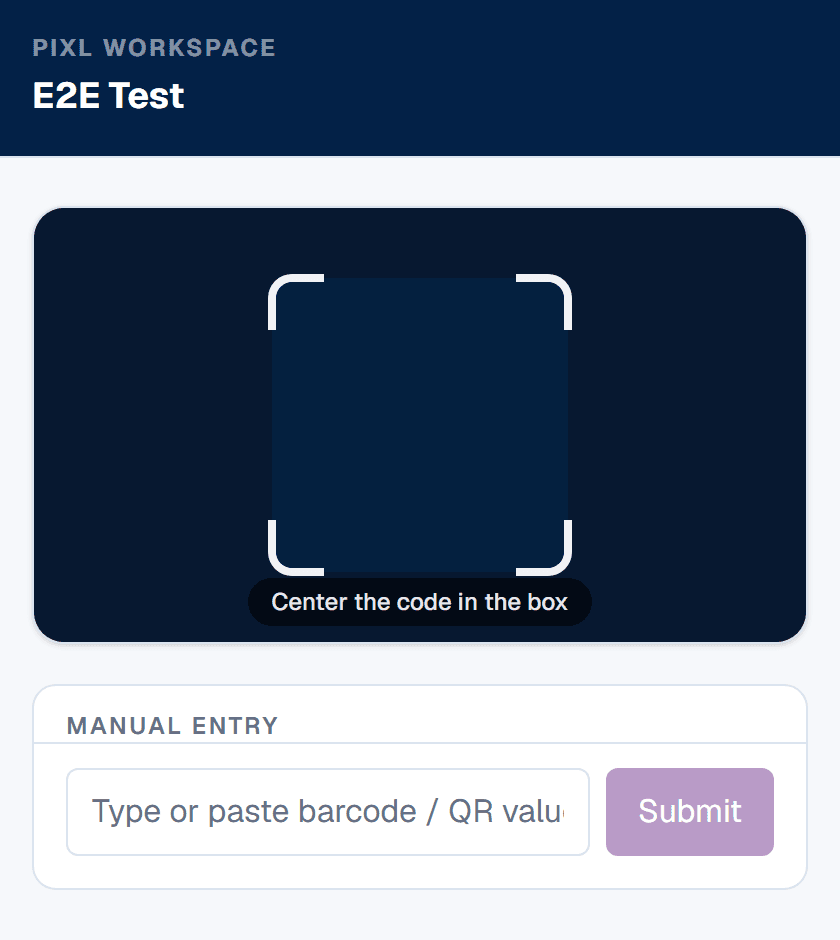
Any sign-in design that assumes everybody at your door is carrying a modern phone will fail on its first day. Older visitors, some contractors, delivery drivers with locked work handsets, anyone with a flat battery and anyone who simply declines are all going to arrive. The share is small and it is never zero.
This is the practical reason the desk-device model is more robust than the poster model. If the scanning happens on one phone or tablet at the desk, the visitor needs nothing at all except something to present: a printed card, a badge, or a code on a work order. Their phone is irrelevant to the transaction. The poster model inverts that and makes every visitor's phone a dependency, which is fine for a members' club and poor for a mixed public reception.
- Keep a small stack of pre-printed numbered visitor cards at the desk. The receptionist scans a card, writes the name once, and the visitor carries the card until they leave.
- Give regular contractors a printed code on a card or a hard hat rather than expecting them to keep an image on a phone.
- Keep the paper clipboard as a genuine fallback, then transcribe those rows into the sheet the same day rather than leaving two records nobody reconciles.
- Remember the browser requirement: the scanner page needs Safari 16.4 or later, or Chrome 111 or later. A very old handset at the desk is a real constraint, though one modern device covers the whole reception.
Step by step
- 1
Decide whether you need sign-out too
Sign-in alone answers who came. Sign-out answers who is still in the building, which is the question that matters in an evacuation. Decide now, because it changes the setup.
- 2
Choose known people or unknown people
A known roster (staff, contractors, members) can carry codes. Unknown visitors cannot, so they need a shared code at the door plus a name field. These are different setups.
- 3
Put the code where the queue forms
At eye level beside the door, not on the desk. People sign in while waiting rather than stopping the queue, which is the entire practical gain over a clipboard.
- 4
Keep one row per event, never per person
Append a row for each sign-in and each sign-out. Do not maintain an in-or-out column — derive current presence from the latest row per person.
- 5
Print a paper fallback and keep it in the drawer
Phones die, cameras break, and some visitors will refuse. A clipboard in reserve costs nothing and prevents the whole system being abandoned the first time it fails.
Frequently asked questions
How do I make a QR code sign-in sheet?+
Two ways. Free: build a Google Form linked to a Sheet and print a QR code that opens it, so visitors sign themselves in. Or put one device at the desk with a scanner link open and scan people's own codes as they arrive, which is faster and produces cleaner data for people you already know.
Can I capture sign-out as well as sign-in?+
Yes, and the reliable pattern is two separate links to the same Sheet — one for in, one for out. A single form with an in/out dropdown is the usual reason sign-out data ends up untrustworthy, because whoever is on the desk eventually picks the wrong one.
Does a QR sign-in sheet control access?+
No. It is a record, not a lock — it does not unlock doors or prevent entry. If you need enforcement, you need access-control hardware. What this gives you is a legible, accurately timestamped log of who was on site.
What about visitors who have never been before?+
They have no code to scan, so they need a poster QR that opens a form where they enter their own details. Most receptions need both mechanisms: codes for regular contractors and staff, a poster for genuine one-off visitors.
What if someone refuses to use their phone?+
Keep a paper clipboard in the drawer. Some people will decline, some phones will be dead, and a system with no fallback gets abandoned the first time it fails at a busy moment.
How long should we keep visitor records?+
As short as your purpose allows — most receptions need weeks, not years. A visitor log is personal data, so set a retention period and actually delete rather than accumulating indefinitely by default.
Is a digital log better for privacy than paper?+
In one specific and important way, yes: the next visitor cannot read the previous visitors' names, which a paper clipboard on a desk cannot avoid. It does create a normal data-protection obligation in exchange.
What happens if someone scans the sign-in code twice?+
In our product the second scan is accepted and recorded, with an amber badge showing the repeat count and confirming the row was saved anyway. It never blocks a scan. Removing duplicates is then a spreadsheet decision, a UNIQUE or QUERY on your reporting tab, which keeps the raw log complete and auditable.
Can a QR sign-in sheet stop buddy punching?+
No. A scan proves a code was shown to a camera, not who held it, and codes can be lent, photographed or forwarded. Scanning at a staffed desk, printing codes on issued equipment rather than phones, and watching for several sign-ins seconds apart are the realistic controls. Paper is no better on this point.
Does a QR sign-in sheet work without internet at the door?+
It depends on the route. A Google Form submitted with no signal is lost silently. A QR to Sheets scan is written to the device first with a local CSV backup and syncs when the connection returns, so reception keeps working through an outage. Test in the actual doorway before committing.
Why are the timestamps in my sign-in sheet in the wrong timezone?+
Most tools write UTC. QR to Sheets writes each row in the timezone set for your workspace in admin settings, formatted as YYYY-MM-DD HH:MM:SS. That format matters as much as the zone: a raw ISO timestamp is stored by Google Sheets as text, which silently breaks sorting, date filters and formulas.
How do visitors sign in if they do not have a smartphone?+
Put the scanning on one device at the desk rather than on the visitor's phone. Then the visitor only needs something to present, such as a printed card, a badge or a code on a work order. Keep numbered visitor cards at reception and a paper clipboard as the fallback.
Can one QR sign-in link cover several entrances?+
Yes. A scanner link is a public URL, so one link can be open on any number of phones or tablets at different doors. On the paid plan you pay per registered device rather than per link or per person, so extra entrances cost a device slot, not a new subscription.